
Table of Contents
- Design and Portability Exploring the Innovative Gimbal Body and Travel Case
- Visual Performance Unpacking Triple Laser Optics Microstructure Adaptive Control and 4K Clarity
- Smart Features Inside Android TV 11 Connectivity Options and Voice Assistant Integration
- Setup and Everyday Use Optimizing Placement Brightness and Audio for a Home Cinema Experience
- Q&A
- To Conclude
Design and Portability Exploring the Innovative Gimbal Body and Travel Case
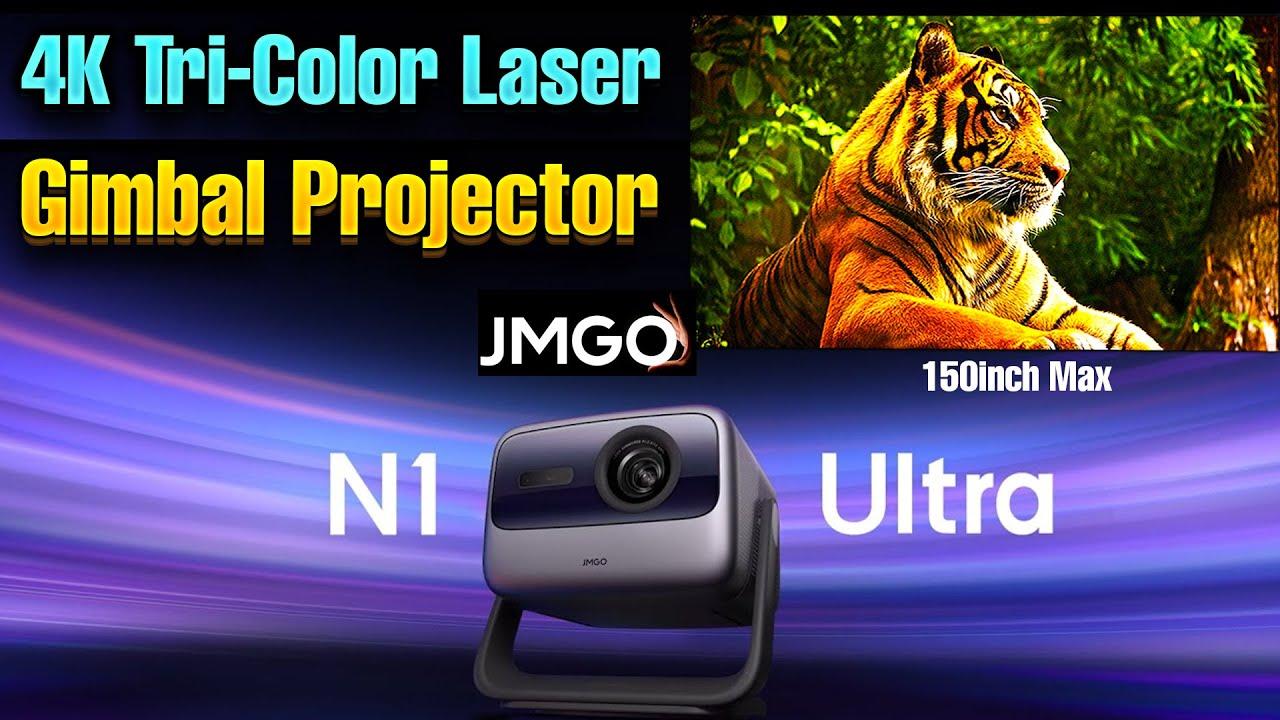
The JMGO N1 Ultra 4K Laser Projector stands out not only through its stunning image quality but also with its cutting-edge design that emphasizes ease of use and mobility. The gimbal body is a masterstroke of engineering-a balanced, sturdy structure that allows for seamless adjustments with just one hand. Whether you aim the projector at the ceiling, a wall, or a distant corner, the flexible gimbal ensures precise alignment without tools or extra effort. Its sleek contours and premium build quality make it a visually appealing centerpiece, blending innovation with elegance.
Coupled with a compact and robust travel case, this projector becomes the perfect companion for adventures, outdoor gatherings, or professional presentations. The case is designed with durability in mind, safeguarding against bumps and scratches while maintaining a lightweight profile for effortless carry. Inside, the case conveniently accommodates the projector, remote, power brick, and other accessories, ensuring everything remains organized and protected. With such thoughtful portability features, the JMGO N1 Ultra elevates on-the-go entertainment and display to a whole new level.
Visual Performance Unpacking Triple Laser Optics Microstructure Adaptive Control and 4K Clarity
The Triple Laser Optics Microstructure Adaptive Control system is the crown jewel of the JMGO N1 Ultra. By harnessing precisely engineered microstructures within its triple laser setup, this technology ensures every pixel is rendered with impeccable accuracy and vibrant brilliance. The lasers work harmoniously, dynamically adjusting to ambient lighting and content type, delivering a seamless and immersive viewing experience that feels almost lifelike. Whether you're watching fast-paced action or subtle nuances in a landscape, this adaptive control continually fine-tunes the laser output, resulting in consistently stunning visuals without any compromise.
Coupled with the remarkable 4K clarity, the projector's advanced microstructure design significantly enhances image sharpness, contrast, and color vibrancy. Expect rich, deep blacks and bright, vivid colors that pop with astonishing realism. The system's prowess is further amplified by dynamic color management, allowing the projector to auto-adjust hue and saturation on-the-fly, ensuring each scene is displayed with optimal precision. Here's a quick look at what makes the visual performance truly exceptional:
- Superb Vivid Colors- dynamically enhanced by microstructure adaptive laser control
- Consistent Brightness- even during prolonged viewing or complex scenes
- Sharp 4K Resolution- crystal-clear details with deep contrast levels
| Feature | Benefit |
|---|---|
| Microstructure Adaptive Laser Control | Seamless adjustment for vivid, true-to-life colors |
| Triple Laser Optics | High brightness and color accuracy |
| 4K Clarity | Ultra-sharp images with detailed visuals |
Smart Features Inside Android TV 11 Connectivity Options and Voice Assistant Integration
The Android TV 11 interface on the JMGO N1 Ultra offers a seamless and intuitive experience, elevating how you connect and interact with your entertainment setup. Its smart features extend beyond basic connectivity, providing a versatile ecosystem that effortlessly integrates with your digital life. Enjoy the freedom to navigate your favorite apps, streaming platforms, and content sources with a simple voice command or by using the responsive remote control. The user-friendly interface adapts to your preferences, making it easier than ever to discover and enjoy content without interruption.
Connectivity options are abundant, supporting Wi-Fi 6 for faster, more stable wireless streaming, and multiple ports such as USB-A and HDMI for versatile device connections.
Voice Assistant Integration takes center stage, enabling you to control your projector and smart home devices with simple voice commands. Whether asking about the weather, adjusting volume, or launching apps, the built-in Google Assistant ensures your hands stay free for other tasks. With these smart features, the JMGO N1 Ultra transforms from a high-performance projector into a complete entertainment hub, putting control and connectivity at your fingertips.
| Feature | Benefit |
|---|---|
| Wi-Fi 6 | Faster, more reliable wireless streaming |
| Multiple Connectivity Ports | Flexible device options including HDMI, USB, and audio out |
| Voice Assistant | Hands-free control of content and smart home devices |
| Android TV 11 | Intuitive navigation and access to a vast library of apps |
Setup and Everyday Use Optimizing Placement Brightness and Audio for a Home Cinema Experience
Achieving the perfect home cinema setup starts with smart placement. Use the versatile gimbal design of the JMGO N1 Ultra to find the ideal angle and distance-whether projecting onto a wall or ceiling-without the hassle of tools. Tip: Place the projector at a height where the image covers your screen area fully, and utilize the built-in mounting thread for sturdy tripod positioning if needed. Adjust the projector's orientation effortlessly with one hand, thanks to its adaptive laser control and precise gimbal, ensuring that your picture is sharp, vibrant, and perfectly aligned every time.
Once positioned, fine-tune the brightness and audio for an immersive experience. With support for Bluetooth and Wi-Fi 6, you can connect external speakers or soundbars to enrich your audio landscape. For optimal brightness, ensure the projector is not obscured by objects, and consider ambient lighting conditions-dimming or blackout curtains help enhance picture clarity. Don't forget to calibrate the audio settings: select Dolby Digital or DTS modes to maximize sound quality, and adjust volume levels directly through the projector or connected devices, creating a seamless cinematic environment in your own space.
| Tip | Details |
|---|---|
| Placement | Use gimbal flexibility for precise positioning. |
| Brightness | Optimize by controlling ambient light and orientation. |
| Audio | Enhance with external speakers and calibrate sound modes. |
Q&A
Q&A: Everything You Need to Know About the JMGO N1 Ultra 4K Laser Projector
Q1: What makes the JMGO N1 Ultra stand out from other projectors?
A1: The JMGO N1 Ultra features several unique specifications, including a triple laser system with patented MC technology for adaptive laser control. Its gimbal design allows exceptional flexibility in adjusting the projection angle and position, even onto the ceiling. Additionally, it offers ultra-high brightness, vivid colors, and supports high-quality audio formats like Dolby Digital and DTS.
Q2: What does the "MC technology" in the N1 Ultra do?
A2: MC stands for Micro Structure adaptive laser control. This technology ensures that the laser output adjusts in real-time to produce ultra-bright, clear images with vibrant colors, resulting in a stunning visual experience with minimal color distortion.
Q3: How portable is the JMGO N1 Ultra?
A3: The projector comes with a sturdy, premium carrying case, making it convenient to transport. Its design, combined with the strong case, allows for easy travel - whether you're heading to a friend's house, a campsite, or a vacation home.
Q4: What kind of controls and interfaces does the N1 Ultra offer?
A4: It includes a basic remote control (though not backlit), with standard buttons, a Google Assistant button for voice commands, and support for Android TV 11. On the back, there are multiple ports including USB-A, two HDMI ports (one supporting eARC), a headphone jack, and a mount thread for tripods.
Q5: How flexible is the gimbal design and what advantages does it offer?
A5: The gimbal allows full 360-degree tilt and rotation, giving complete control over the projection angle without tools. You can easily adjust the projector's position and projection direction, even to project onto the ceiling or walls, making setup and customization effortless.
Q6: What is the quality of the picture projection like?
A6: Thanks to the triple laser optics and MC technology, the N1 Ultra produces ultra-bright and vivid images in 4K Ultra HD resolution. Colors are vibrant, and the overall clarity is impressive for both daytime and nighttime viewing.
Q7: What operating system does the N1 Ultra run?
A7: It runs Android TV 11, providing access to a wide range of apps, streaming services, and voice control via Google Assistant.
Q8: Are there any limitations to the remote control included?
A8: Yes, the remote isn't backlit, which might make nighttime control a bit tricky. However, it offers all necessary functions, including voice commands through Google Assistant.
Q9: What accessories are included with the projector?
A9: The package includes a power brick, quick start and setup guides, a basic remote control, an Allen key for adjustments, and a sturdy carrying case.
Q10: Is the JMGO N1 Ultra suitable for outdoor use?
A10: Absolutely. Its portability, robust case, and adjustable gimbal make it an excellent choice for outdoor movie nights and portable entertainment setups.
Get ready for a revolution in portable home entertainment with the JMGO N1 Ultra - a combination of stunning visuals, innovative design, and versatile control.